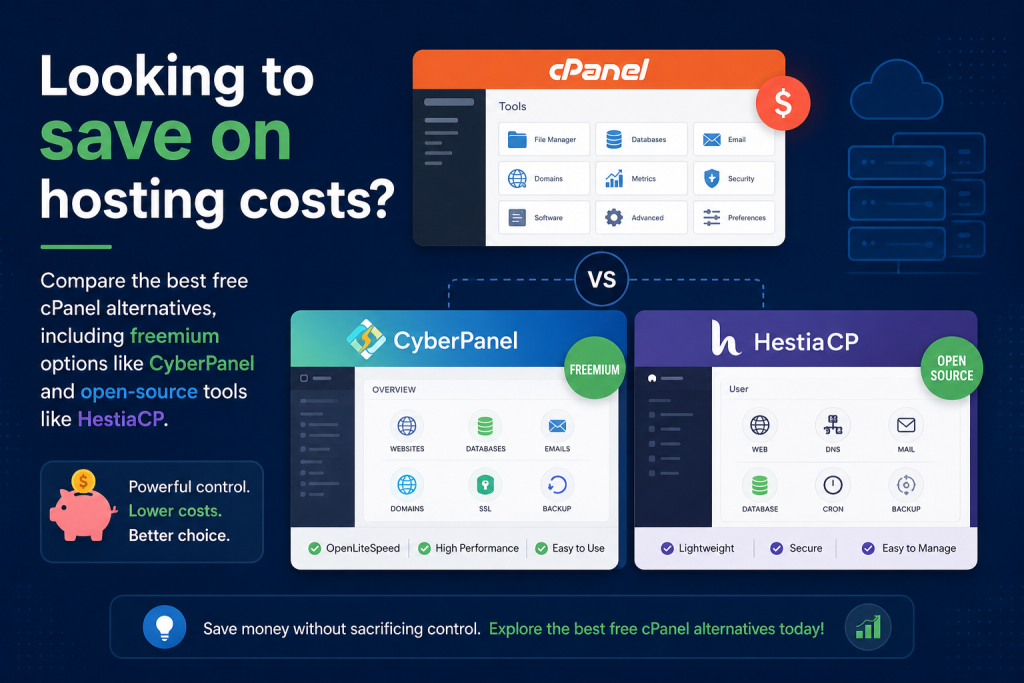
For over two decades, cPanel has been the default control panel for web hosting. However, its 2019 shift to a per-account pricing structure significantly affected its affordability, replacing flat-rate licensing with tiered pricing. This ongoing financial pressure has driven server administrators, agencies, and hobbyists to aggressively search for free cPanel alternatives.
The good news is that you no longer need to pay expensive licensing fees to efficiently manage a web server, databases, and emails—though, as you will see, some modern panels intentionally skip email hosting entirely to maximize pure web performance. In this guide, we break down the top free, open-source, and freemium control panels that provide robust server management without the high monthly overhead.
Why Move Away From cPanel?
While cPanel remains a powerful tool, several factors are pushing users toward modern alternatives:
- Rising Licensing Costs: The per-account pricing model means agencies and resellers are penalized for scaling. What used to be a fixed monthly cost can now rapidly consume profit margins.
- Resource Bloat: Legacy panels like cPanel consume significant server RAM and CPU before a single website is even loaded. This overhead leaves less capacity for your actual applications.
- MoModern Tech Stacks: Many modern applications run better on lightweight server architectures like Nginx or OpenLiteSpeed. While cPanel heavily favors Apache, modern alternatives are often built ground-up for newer, faster web servers.
Free cPanel alternatives & Freemium Alternatives
1. CyberPanel (Freemium)
Built natively for OpenLiteSpeed, CyberPanel is incredibly fast for WordPress hosting. It takes advantage of server-level caching to deliver blazing-fast load times right out of the box.
- Core features: The robust free core version includes a built-in WordPress Manager offering one-click staging, basic local backups, and Let’s Encrypt SSL management.
- Paid features: Advanced tools like remote incremental backups (Backup V2) and advanced email debugging require paid add-ons or a premium bundle.
- Best for: Users who prioritize raw website load speed and WordPress optimization on a budget.
2. HestiaCP (100% Free)
HestiaCP is a lightweight, clean, and entirely open-source fork of VestaCP. Designed specifically for Debian and Ubuntu servers, it offers a beautiful, minimalist user interface that consumes very few server resources.
- Core features: It provides everything you need—Nginx/Apache web server management, DNS, Mail, and MariaDB databases—without unnecessary bloat.
- Best for: Users who want a highly secure, fast, and completely free interface for basic web and email hosting.
3. Webmin with Virtualmin (Freemium)
Webmin is one of the oldest and most comprehensive open-source server management tools available. When paired with Virtualmin, it acts as a highly capable replacement for cPanel/WHM.
- Core features: The GPL (free) version provides deep, granular control over almost every aspect of a Linux server.
- Paid features: The Virtualmin Professional tier gates highly requested features like one-click script installers, reseller accounts, and advanced spam filtering.
- Best for: Advanced system administrators who want a free, flexible core but may need enterprise features as they scale.
4. CloudPanel (100% Free)
CloudPanel is an incredibly fast, modern, and completely free control panel optimized specifically for PHP applications and Nginx environments.
- Core features: It features a sleek interface and deliberately strips away bloated features like local email hosting to maximize pure web performance and security.
- Best for: Developers and agencies running high-performance PHP frameworks or large, high-traffic WordPress sites who prefer to handle email externally.
5. aaPanel (Freemium)
Designed with a modular architecture, aaPanel allows you to install only the specific software components you actually need via an intuitive app store.
- Core features: It provides a highly visual, beginner-friendly core experience for free, making it incredibly easy to deploy LNMP/LAMP stacks with a single click.
- Paid features: The app store offers paid premium plugins for advanced firewall security and specialized website management tools.
- Best for: Beginners looking for the closest visual equivalent to a standard cPanel dashboard who do not mind operating within a freemium ecosystem.
Feature Comparison Summary
| Control Panel | Pricing Model | Best Feature | Ideal User |
| CyberPanel | Freemium | Built-in LiteSpeed Cache | Speed-focused WordPress users |
| HestiaCP | 100% Free | Low resource usage | Security-conscious minimalists |
| Virtualmin | Freemium | Deep server control | Experienced SysAdmins |
| CloudPanel | 100% Free | PHP optimization | High-traffic site developers |
| aaPanel | Freemium | Modular app store | Visual-oriented beginners |
What to Consider Before Switching
Moving to a new control panel is a major infrastructure decision. Keep these factors in mind before deploying a new server:
- Community Support vs. Paid Support: Free panels rely heavily on community forums and documentation. If your server goes down, you cannot submit a high-priority ticket to an enterprise support team.
- Email Hosting Capabilities: Running your own mail server on a free panel can lead to deliverability issues. Because email infrastructure is resource-heavy and complex, it is often much smarter to offload email to a third-party service like Google Workspace or Microsoft 365.
- Migration Tools: Moving away from cPanel is rarely a one-click process. You will likely need to perform manual website migrations or rely on community-built import scripts, which require some command-line comfort.
Frequently Asked Questions
Are free web hosting control panels actually secure?
Yes, most top-tier open-source panels like HestiaCP and CloudPanel are highly secure. They utilize modern software stacks and strip out legacy bloat, which often reduces the overall attack surface compared to older panels.
Can I migrate my cPanel backups directly to a free alternative?
Direct restoration from cPanel .tar.gz backups is not natively supported by most free panels out of the box. You will typically need to migrate your files via FTP/SSH and manually import your MySQL databases.
Which free control panel is the absolute best for WordPress?
CyberPanel and CloudPanel are widely considered the best free options for WordPress. CyberPanel leverages OpenLiteSpeed for unmatched caching and includes a robust built-in WordPress Manager (offering free one-click staging, auto-updates, and direct plugin management). CloudPanel, on the other hand, uses Nginx to deliver extreme performance for high-traffic sites by keeping the server environment incredibly lean.
Conclusion
Paying for cPanel is no longer a strict requirement for running a robust, secure web server. Whether you choose a completely open-source project like HestiaCP or a high-performance freemium tool like CyberPanel, there are plenty of capable free cPanel alternatives on the market. Explore our guides on configuring Virtual Private Servers to find the perfect lightweight hardware foundation for your new setup.